Close Word Document Action
Close Word Document Action closes the currently opened Word document in a Word instance. It releases the document resource while keeping the Word application window open. This is useful when you need to close a specific document but continue working with the same Word instance.
Appearance
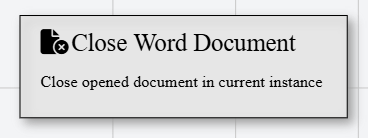
In Talos, Close Word Document Action appears as a standard rectangular node with a file and a circled x mark icon.
Properties
As all Actions, Close Word Document Action has a few unique properties that are essential for its functionality.
Common properties
Common properties inherited from Action.
Display NameString
This is the display name of the action.
By customizing this property, you can differentiate between same type of actions.
Action IDString
Indicates the unique ID of this action.
This property is Read only and it is not customizable
DisabledBoolean
If set to true, this action is considered disabled and will not be executed.
Word InstanceString
Variable that stores the currently opened Word instance.