Delay Action
Delay Action halts the robot execution for a specified amount of time. It pauses the workflow for a configurable duration, which can be expressed in milliseconds, seconds, minutes, hours, or days. This is useful for waiting for external processes, adding pauses between actions, or implementing timed delays in automation workflows.
Appearance
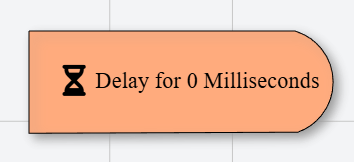
In Talos, Delay Action appears as a distinctive node with an hourglass icon and a rounded right edge, filled with a light orange color, distinguishing itself from other nodes and visually indicating a pause in the workflow.
Properties
As all Actions, Delay Action has a few unique properties that are essential for its functionality.
Common properties
Common properties inherited from Action.
By customizing this property, you can differentiate between same type of actions.
This property is Read only and it is not customizable
The value must be greater than or equal to 0.
Available options: Milliseconds, Seconds, Minutes, Hours, Days