Execute Subprocess Action
Execute Subprocess Action executes a sub-process within the current workflow. It supports two types of sub-processes: Internal (embedded within the current workflow) and External (referencing a separate, standalone process). This allows for modular workflow design, code reuse, and breaking complex automations into smaller, manageable units.
Appearance
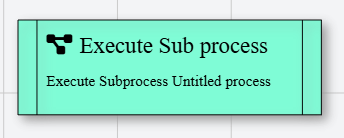
In Talos, Execute Subprocess Action appears as a standard rectangular node with vertical side lines and a project-diagram icon, styled with a green background to visually distinguish it from regular actions.
Properties
As all Actions, Execute Subprocess Action has a few unique properties that are essential for its functionality.
Common properties
Common properties inherited from Action.
By customizing this property, you can differentiate between same type of actions.
This property is Read only and it is not customizable
Available options:
- Internal — A sub-process embedded within the current workflow
- External — A reference to an external, standalone process
The type of this property changes depending on the Type selection:
- When Internal: Shows the internal process designer
- When External: Accepts a reference to an external process in the format
ProcessName(ProcessID)