Find in String Action
Find in String Action finds the position of a given string inside the input string. It returns the index of the first occurrence of the search string within the input, which is stored in an output variable for further use in the workflow.
Appearance
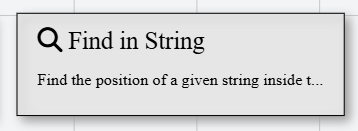
In Talos, Find in String Action appears as a standard rectangular node with a magnifying glass icon.
Properties
As all Actions, Find in String Action has a few unique properties that are essential for its functionality.
Common properties
Common properties inherited from Action.
By customizing this property, you can differentiate between same type of actions.
This property is Read only and it is not customizable
See more about Talos Scripting language & Expressions
This property supports expressions. You can use variable references and string expressions to dynamically resolve the input string at runtime.
Examples
Assuming a declared String variable with name myString.
Hello World, {{${myString}}}, {1+1}
${myString}
See more about Talos Scripting language & Expressions
This property supports expressions. You can use variable references and string expressions to dynamically resolve the search string at runtime.
Examples
Assuming a declared String variable with name keyword.
2
${keyword}