Get System DateTime Action
Get System DateTime Action gets the current system date and time. It captures the current timestamp and formats it according to a configurable format string, storing the result in an output variable.
Appearance
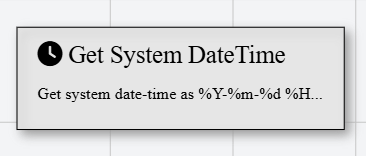
In Talos, Get System DateTime Action appears as a standard rectangular node with a clock icon.
Properties
As all Actions, Get System DateTime Action has a few unique properties that are essential for its functionality.
Common properties
Common properties inherited from Action.
Display NameString
This is the display name of the action.
By customizing this property, you can differentiate between same type of actions.
Action IDString
Indicates the unique ID of this action.
This property is Read only and it is not customizable
DisabledBoolean
If set to true, this action is considered disabled and will not be executed.
FormatString
Specifies a custom format of the date-time to return.
Common Format Specifiers
| Specifier | Description | Example |
|---|---|---|
%Y | 4-digit year | 2024 |
%m | Month (01-12) | 03 |
%d | Day (01-31) | 15 |
%H | Hour (00-23) | 14 |
%M | Minute (00-59) | 30 |
%S | Second (00-59) | 45 |
Default format: %Y-%m-%d %H:%M:%S
OutputString
The output variable name to save the current system date-time. Returns a DateTime.