Common Automation Patterns
While Talos provides a wide array of individual actions, the real power of automation comes from combining them into logical patterns. This guide covers common "design patterns" used to solve frequent automation challenges.
1. The "Switch-Case" Pattern
Problem: You have a variable that could have multiple values (e.g., a "var" that could be 1, 2, 3, or 4), and you want to perform a different action for each.
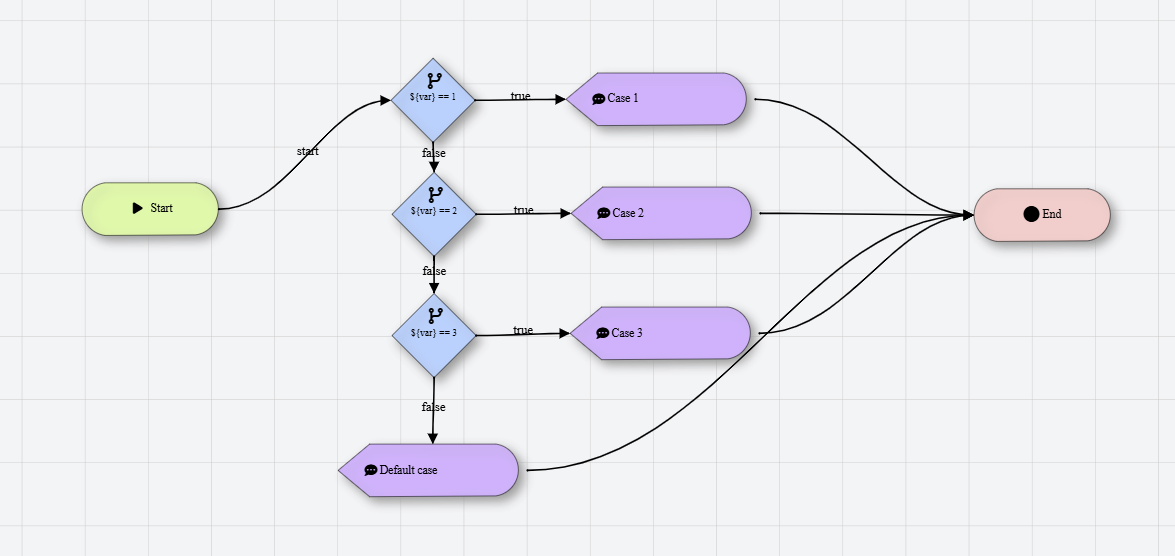
Solution: Since Talos uses binary Branch Actions, you can chain them together to create a multi-way decision tree.
- Step 1: Add a Branch Action checking if
${var} == 1. - Step 2: Connect the If False port to a second Branch Action checking if
${var} == 2. - Step 3: Repeat for all cases. The final If False acts as your "Default" or "Else" case.
For cleaner workflows, use a Group to wrap this "Switch" logic and label it clearly.
2. The "Wait for Condition" Pattern
Problem: You need to wait for something to happen (like a file appearing or a web element loading) before continuing, but you don't want to wait forever.
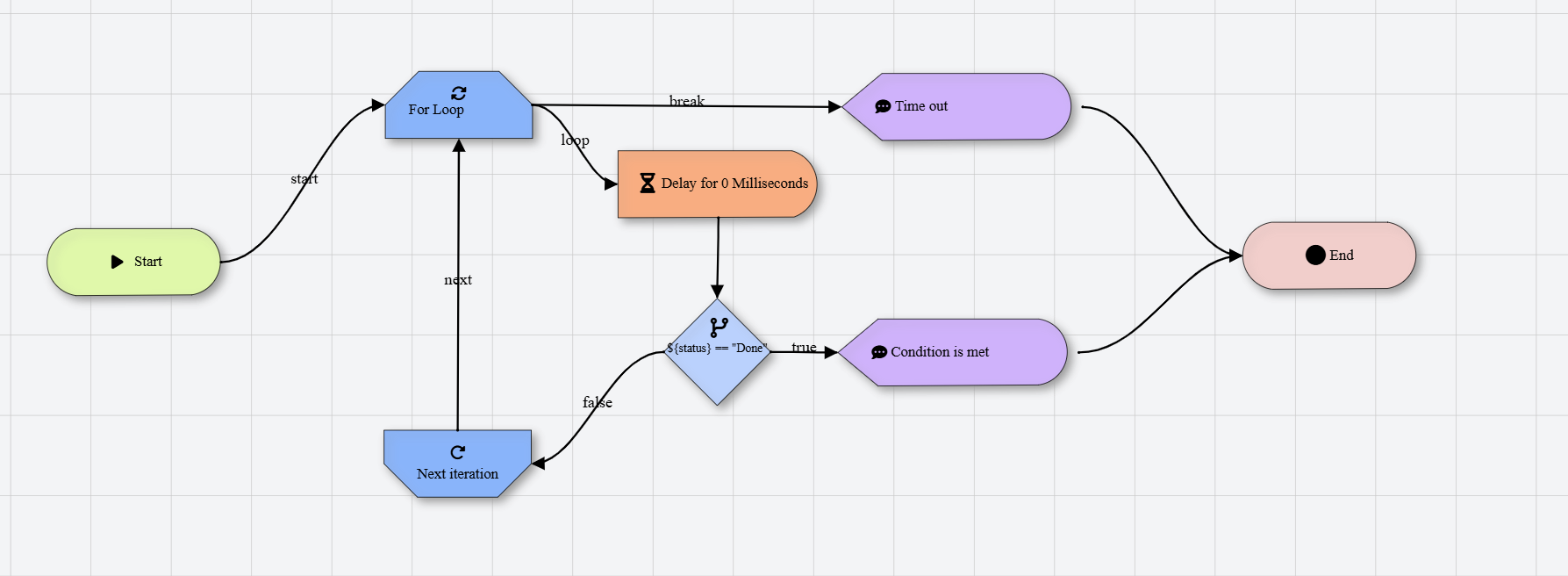
Solution: Use a For Loop combined with a Delay and a Branch.
- For Loop: Set to a reasonable number of "retries" (e.g., 10 iterations).
- Action: Perform the check (e.g., "Check if File Exists").
- Branch:
- If True: Continue to the rest of your workflow (breaking the loop).
- If False: Connect to a Delay Action (e.g., 2 seconds), then back to the loop start.
This pattern is much more resilient than a single long Delay, as it continues as soon as the condition is met.
3. The "Safe Resource" Pattern
Problem: You open an application or a file, but if an error occurs later in the workflow, the application remains open and locked.
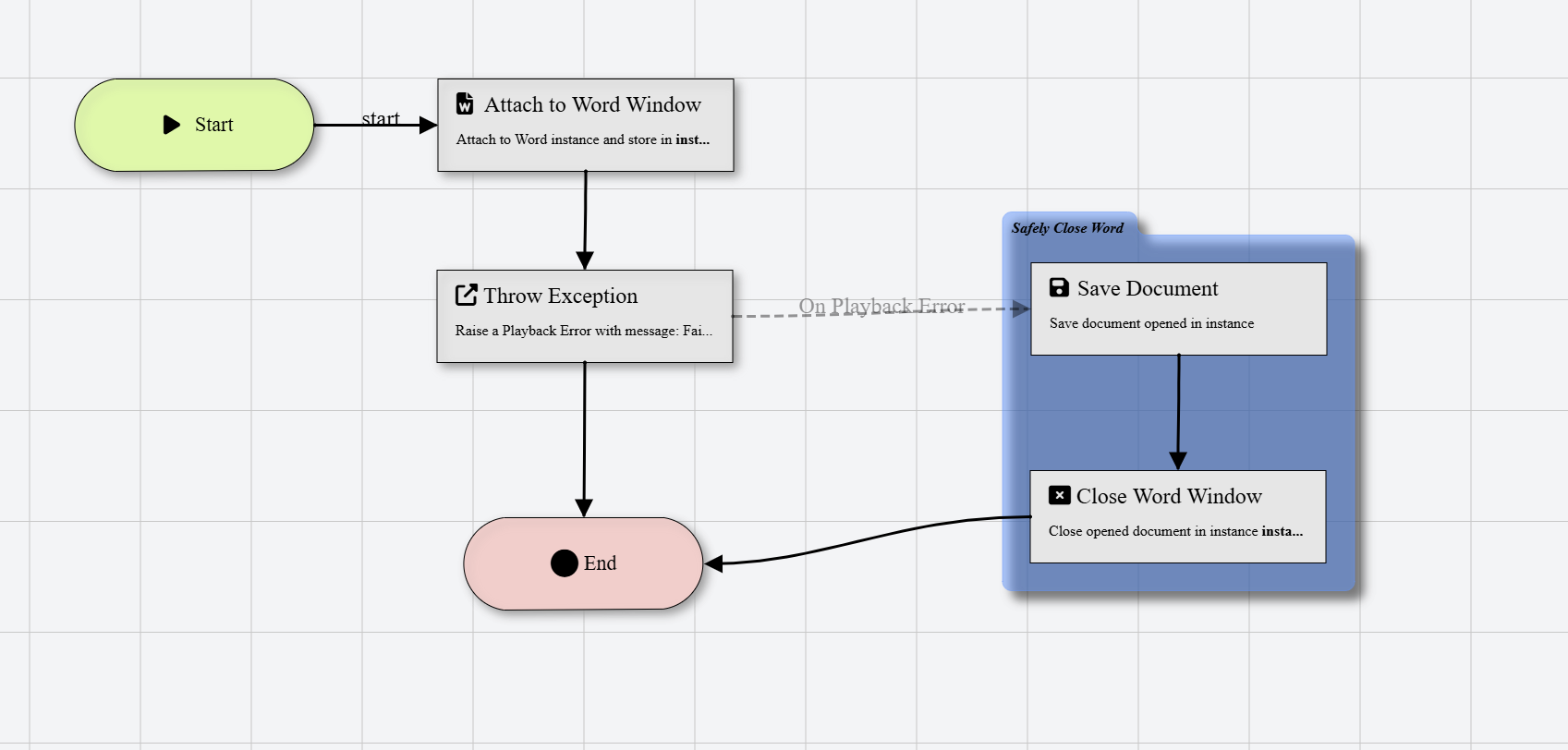
Solution: Use an On Error connection to a "Cleanup" sequence.
- Pattern:
- Open Application
- Perform several tasks.
- For every task in the sequence, connect the Red (On Error) port to a shared Close Application action.
This ensures that regardless of where a failure occurs, your environment is cleaned up before the robot stops.
4. The "Master-Subflow" Pattern
Problem: Your workflow is becoming too large to manage on one canvas.
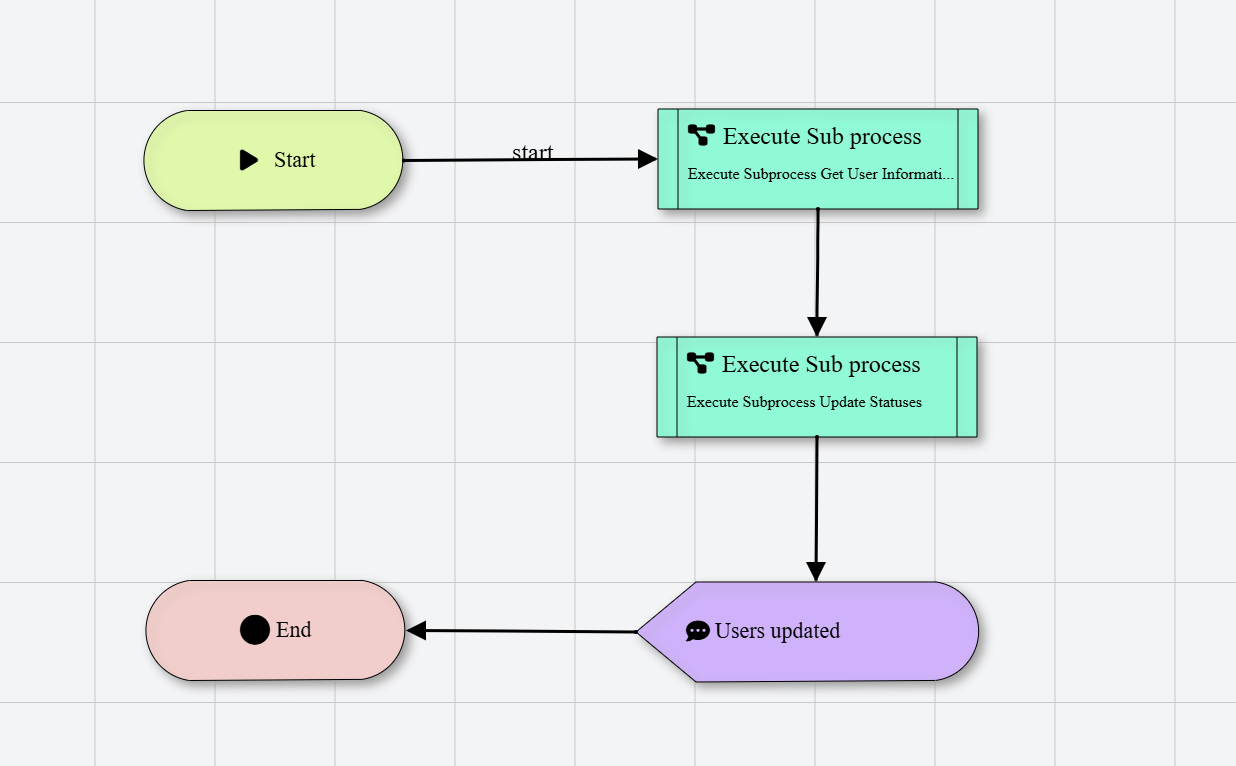
Solution: Use the Run Subflow action.
Instead of one giant flow, break your logic into functional blocks:
Get User Information: Calls Login, Fetches User Information.Update User status: Contains only status update logic.
This makes your automation much easier to debug, test, and maintain.